
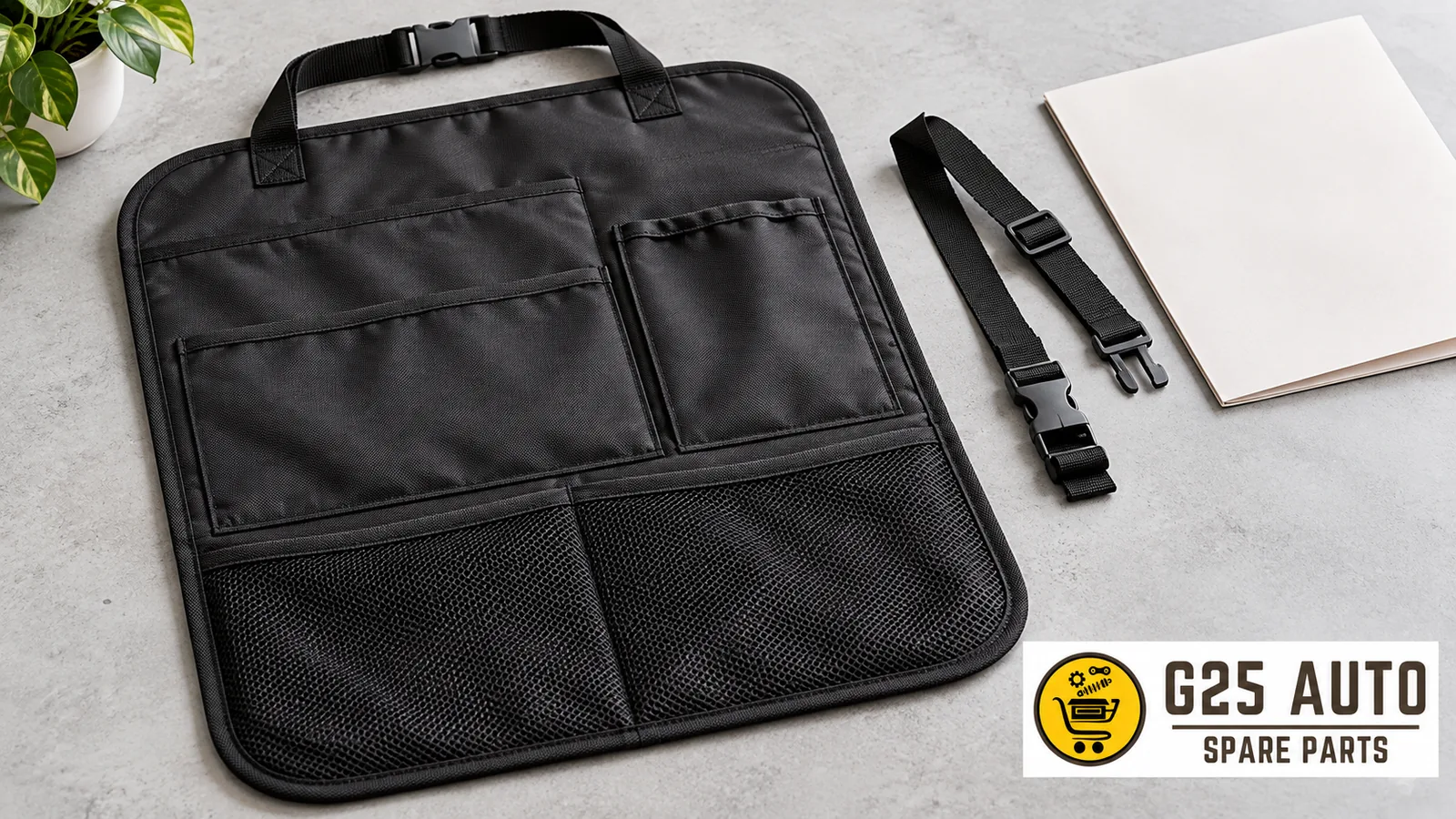
Short answer: When choosing a seat back protector, verify which position the product is offered for, its exact reference, attachment description and parts to be shipped. Do not consider a pocket shown in an image as a common feature of all products. Resemblance of the seat in the photo does not prove vehicle application. Request manufacturer description and package list for the selected offer; do not fill gaps in unclear attachment information through trial and error.
Name the protector you are looking for clearly
The term seat protector can describe products offered for different purposes. Clearly state in the discussion that the product you are looking for is for the surface on the back of the seat. Do not make comparisons as if it were the same product as a cover used on the seating area. If the listing title and product photo show a different usage location, request clarification from the seller. Record the product’s full name and reference together.
When describing the position in the vehicle, make clear which seat you are referring to. If the seller requests information about the vehicle or seat equipment, check relevant records before answering. Do not extract a feature you do not know from an image and write it as if it were certain. You can share a photo of the existing product; however, do not substitute visual similarity for application documentation. Keep the codes of the existing part and the product to be ordered in separate fields.
Do not exceed the scope of the manufacturer example
The Kick Guard presentation on the official Volvo Cars accessories page offers an example of a dirt protector with pockets. This example does not mean that every seat back protector is pocketed or has the same scope. Request the description of the reference you will purchase. Do not use the general presentation as a definitive application answer for your vehicle and seat version.
Do not transfer a pocket, surface or attachment detail seen in one presentation to another sales listing. Do not assume that products offered for the same purpose have the same structure. This article does not specify material, dimensions, protection level or cleaning method. If such information is needed, refer to the documentation for the product you selected. Inability to access documentation is not justification for filling in missing fields from similar product descriptions.
Evaluate offers with and without pockets by their scope
If there is a pocket in the product image, have the seller confirm that this feature applies to the selected offer. Do not transfer the number or shape of pockets from a sample photo as a definitive product description. If different options are offered in the same listing, have the selected order option confirmed in writing. Ask whether the product reference changes when the option is changed. A single main photo may not explain the contents of different options.
Do not count items shown together as package contents. The presence of a toy, small bag or other object in the photo does not indicate that these will also be shipped. Have the product itself and any additional parts listed separately in the order note. If limits on pocket use or placement information are needed, request manufacturer instructions. This checklist does not suggest a value for how much can be placed in pockets.
Link the attachment description to the reference
Request information about the protector’s attachment from documentation for the selected product. Do not conclude from the appearance of the strap in the listing that it can be used the same way on all seats. Ask the seller to write the scope of shipment for attachment parts. If a general attachment kit term is used, clarify which product it belongs to and what it includes. Do not reach a conclusion about compatibility by assuming an unknown feature of the existing seat.
If another part is recommended for the product, record its name and code separately. Before matching the strap or attachment of an old protector with the new product, request relevant clarification. This article does not describe methods for selecting attachment points, removing seat parts or routing straps to different locations. Assess installation based on instructions for the vehicle and product. Do not consider uncertainty resolved by physical trial.
Record table for comparison
| Check | Description to be recorded | If response is missing |
|---|---|---|
| Usage position | Surface and product name defined in offer | Clarify title with image |
| Full reference | Readable label or product document | Request new image |
| Pocket feature | Description of the selected product itself | Do not extract from sample image |
| Attachment scope | List of parts to be shipped | Do not assume it is included |
| Vehicle application | Document response linked to reference | Write document pending |
Store the table with the offer link and response date. When comparing two products, open a separate column for each product. Do not transfer pocket or attachment information from one to the other. Leave unanswered fields visible. A product being presented with more photos does not mean it is more comprehensive or has correct application. Conduct the comparison based on the product described in documentation and items to be shipped.
Prepare questions to ask the seller
- What is the full manufacturer reference for this offer?
- For which seat surface and application is the product offered?
- Does the pocket feature in the image also apply to the option I selected?
- Can you list the attachment parts that will be shipped with the protector?
- Can you share the product’s own installation and maintenance documentation?
Record the answer without expanding it with your own interpretation. If only a short answer like “same” or “will work” is received, ask which reference is meant. When another product is suggested, do not automatically transfer previous answers to the new offer. Open a separate record for the new code. At the end of the discussion, verify that the reference of the accepted offer is the same as the reference in the order confirmation.
Separate delivery check from usage decision
When the package arrives, compare the product label and contents with the written offer. If there is a difference regarding pocket feature or attachment parts, document with photos. Report the difference to the seller along with the order link. During delivery check, do not compensate for the discrepancy by changing parts or adding other attachments. Request documentation for the product regarding use and maintenance; this article does not recommend cleaners or procedures.
Frequently asked questions
Is the seat protector name alone sufficient?
Clarify which surface and usage position it is offered for. Record the full product name and reference together.
If pockets are in the photo, are they definitely included?
Request written description for the selected product option. Do not count the main photo as a description of all options.
Can old attachment parts be used?
Do not make matching based on appearance. Request description linked to product references; this article does not provide part replacement methods.
How should you proceed if the label and order code differ?
Keep both codes as they are. Add photos to the same order record and request clarification from the seller. Do not complete unreadable characters with guesses. When new information arrives, note it with the date and wait for clarification of which product was shipped.
When multiple images are sent, note which belongs to the selected product. Ask the seller whether general appearance, label and package contents photos describe the same product. Do not combine photos taken from different options as if they were features of a single product. If scope has changed in correspondence, record the changed point without deleting the old description. Do not let information about alternatives that did not turn into orders remain on the checklist for the product to be received. This separation keeps clear which description you will compare against when opening the package.
Source: Volvo Cars — Kick Guard. Verification: October 31, 2026. Manufacturer example used only in general presentation context.