
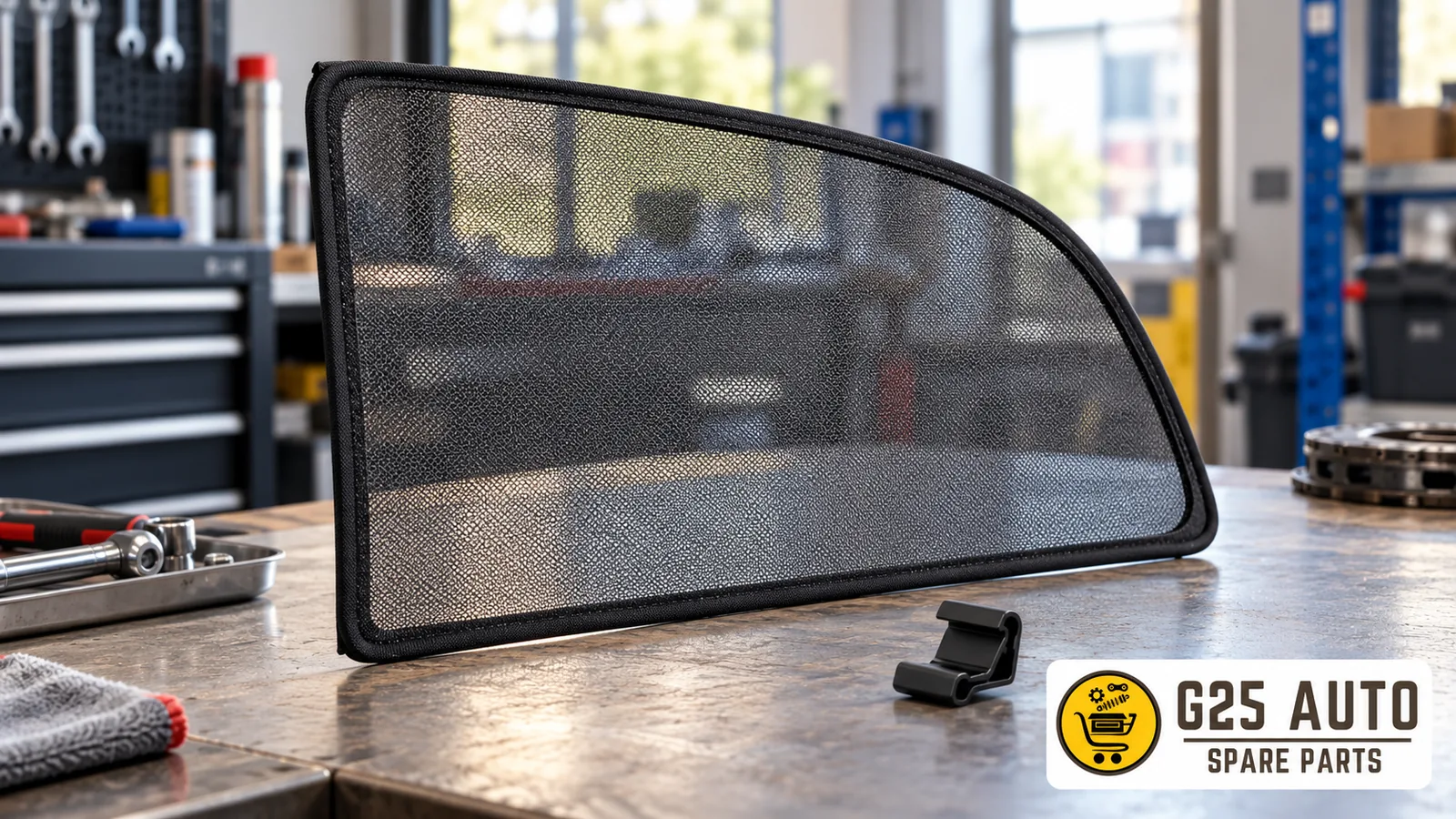
Short answer: When buying a rear door sun shade, first specify which window and door you need the part for; then verify the product reference, direction information, and list of parts to be shipped. Do not treat an integrated shade and a separately sold accessory as the same product. Shape in photo, attachment type, or color similarity is not proof of vehicle application. Evaluate the seller’s description together with documentation for your own vehicle.
Clearly define which shade you are looking for
The term sun shade can be used for different window positions. Is the product you are looking for intended for the rear door window, rear window, or another section? Instead of only telling the seller the vehicle model, describe the location in your own words. Even if the same phrase appears in the product title, also read the photo and scope description. If it is unclear which position is meant in the listing, request written clarification before ordering.
Also specify whether you are looking for the complete shade or a separately offered component. Do not evaluate a photo of a connecting part as if it were a photo of the complete shade set. If the offer mentions a set, ask which parts will be shipped together. This article does not define a fixed kit content; it aims to help you clarify the scope of the offer. Do not automatically assume a part not listed as included is part of the order just because you see it in the photo.
Do not generalize an integrated shade example to other products
The selected official manual for Volvo XC90 2018 describes the manual sun shade integrated into the rear doors. An example is given of a shade attached to a hook in the upper door frame; it is noted that the drawing is schematic and the version may differ. This description is limited to the relevant vehicle configuration; it does not show the attachment in other models or in every separately sold shade.
Find the manual for the relevant version of your own vehicle and the application documentation for the offered product. Matching the shape in the source to the product photo on screen does not complete the verification. Communicate information about the existing equipment to the seller and request that they explain with documentation which application the offer covers. The presence of a shade in a vehicle does not lead to the conclusion that every similar part on the internet belongs to that system. If documentation is lacking, keep this as an open question.
Do not derive direction information by looking at the photo
If the listing has a description such as right, left, or both sides, verify which part this phrase identifies. If there are multiple products in the image, ask which one the direction information belongs to. The fact that the photo is on the right side of the screen does not indicate the product is for the right side. Viewing the product from a rotated angle also does not by itself constitute direction identification. Record the seller’s written description together with the product reference.
If you can read the label on the existing part in your vehicle, transfer the code as is; do not complete an unreadable character from a similar listing. Keep the seller’s stock code and the manufacturer reference in separate fields. If you are told two codes are used for the same part, ask on what explanation this relationship is based. Do not establish equivalence yourself between old code and new code. Request a response that ensures the photo, label, and offer description belong to the same product.
Record package scope with a comparison table
Instead of making the comparison only between two photos, make visible which field is described in each offer. Fill in the table below together with the offer link and response date. The fact that information has arrived for one row does not mean the other rows are also complete. Mark fields for which no answer has yet been received as awaiting documentation. The table is not a compatibility confirmation but an organized record of the information you collect.
| Field | Description to record | If no documentation |
|---|---|---|
| Window and door position | Usage location stated in offer | Ask seller explicitly |
| Direction | Direction definition associated with product reference | Do not extract from photo |
| Part reference | Code on readable label | Request new photo |
| Items to be shipped | Shade and other described parts | Request written list |
| Vehicle application | Application documentation for relevant product | Do not approve by similarity |
Keep a copy of the table during the ordering stage. If the seller offers different options, also write down the selected variant. Do not assume that changing options on a single offer page have the same package content. If a new reference is suggested during discussion, clarify which code is being ordered instead of silently replacing the previous code. This record will be useful when checking the delivered product later.
Sample questions to get a clear answer from the seller
- Which window and door position is the offer provided for?
- Can you share the full reference and label photo of the product?
- If there is direction information, can you provide the written description associated with this reference?
- Can you list the parts to be shipped individually; which parts in the photo are included in the offer?
- Based on which document are you providing the application description for the vehicle information I shared?
Record which offer the answers belong to. If the only answer is “compatible,” request an explanation that also includes the relevant product code. Do not treat a brief note written next to a photo and a product document as the same type of evidence; specify the source of each piece of information separately. If uncertainty continues, do not mark the comparison as completed. Follow up the open question in the next discussion through the same order record.
Match the delivered part with order information
When you receive the package, compare the reference, direction description, and actually shipped parts with the recorded offer. This check is not an assembly trial. If you see a different code or undescribed scope, write the difference concretely. Do not ignore an unclear label just because it resembles the existing part. Request an explanation from the seller by showing together the relevant label photo and order description.
Also keep the usage or assembly documentation for the product in the same record. If a part not visible in the listing photo is delivered or an expected part is missing, ask about its relationship to the offer scope. Keep a separate record for each difference; instead of a general wrong product statement, specify which field does not match the description. This article does not provide instructions for removing attachments, repairing mechanisms, or applying materials; manufacturer descriptions for the product and vehicle should be the basis for these operations.
Frequently asked questions
Is every rear sun shade the same product?
Check the product position and system definition. Do not treat offers for rear door window and rear window as the same product. Request the seller to clarify the distinction between integrated mechanism and separate accessory.
Does seeing two items mean a package for both sides?
Do not use the photo as a substitute for the package list. Request the parts to be shipped and direction descriptions in writing. Record which parts are included in the selected option of the offer.
What to do if the reference on the label is unreadable?
Request a clearer photo. Do not complete the missing part of the code by guessing or from another listing. Do not finalize the comparison without associating the product application documentation with the full reference.
Source: Volvo XC90 2018 — Using the sun blind. Verification date: October 31, 2026. Manufacturer example is limited to the relevant vehicle version.