
Match Purchase Questions with Records
How to Check Package Contents?
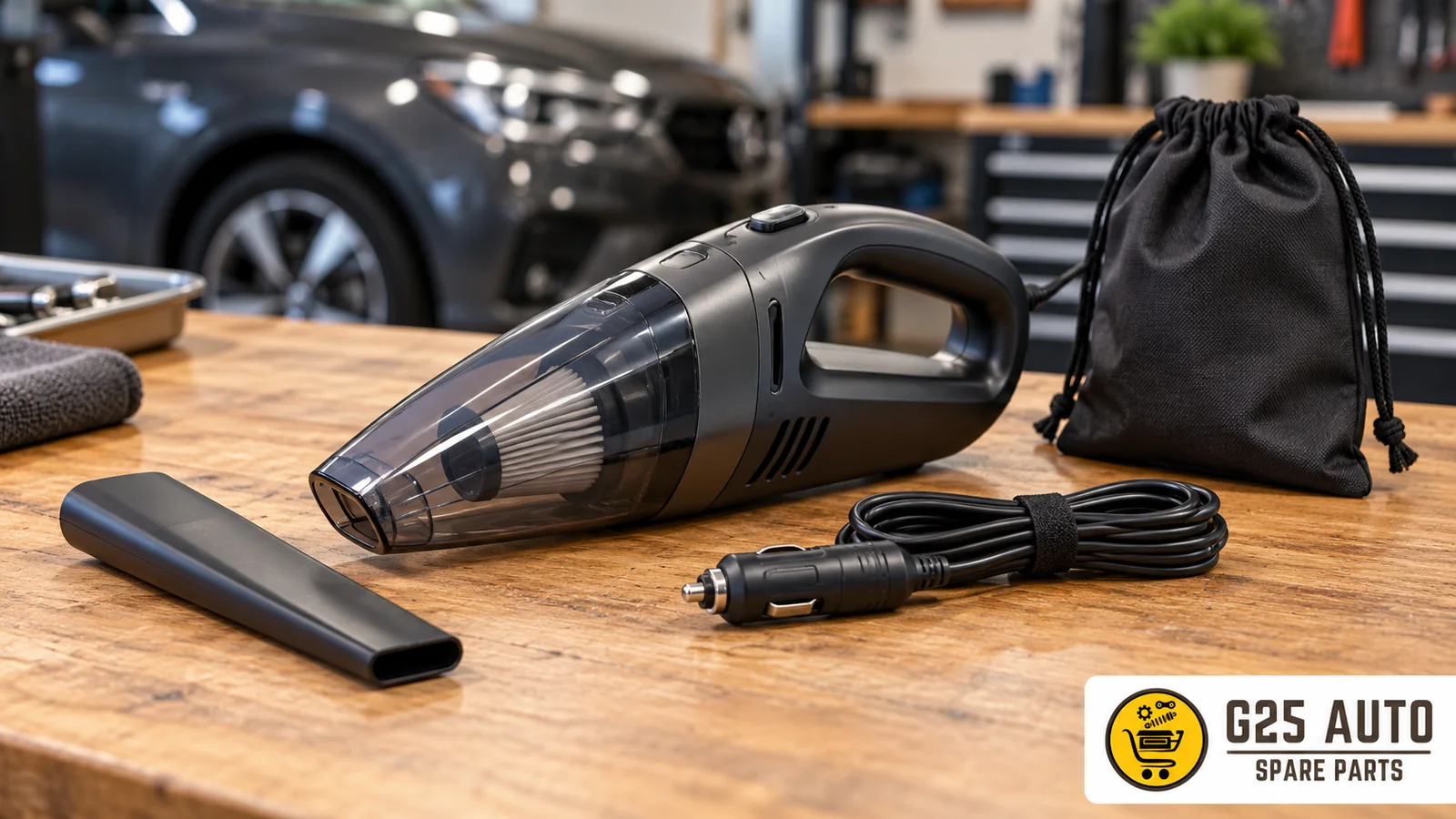
Short answer: When reviewing a car handheld vacuum offer, query the device, nozzles, charging cable, and storage bag on separate lines. Learn in writing whether the offer covers the main device or only an accessory. Do not automatically add items from photos to the package list. This article is not a usage or charging instruction; it is a suggestion for organizing the purchase scope and delivery record.
The official Volvo Cars 4-in-1 Handheld Vacuum page mentions combination nozzles, charging cable, and storage bag. Only these three descriptions are taken as examples here. Do not infer from this example that other offers have the same contents. Request the package list of the product you choose from its source.
Device and Replacement Nozzle Distinction
Write your first question about nozzles by separating the items: Does the order line cover the device itself, the nozzle set, or a clearly defined package? Do not assume the device will be shipped just by looking at the word vacuum. Record the nozzle name and offer address together.
Ask the seller to list by name the nozzles that will be shipped for the relevant order. Do not complete the tips in one photo with another offer’s package description. When reviewing the product page, record these questions separately:
- Does the product title contain the phrase “nozzle set included”?
- Is the number of nozzles specified in the package contents section?
- Are the nozzles shown in the photo listed as separate purchase options?
If the product description is unclear, ask the seller in writing before placing your order and record the response. The written answer you receive to the question “Which nozzles come in the standard package?” will serve as a reference in potential post-delivery disputes.
Nozzle Variety and Selection List
If there are multiple nozzle images on the product page, you need to clarify whether all or some of them are included. Is there a separate selection list for parts such as brush nozzle, flat nozzle, or extension tube?
If there is an option menu during ordering, ask separately about the package scope of each selection. Do not infer from the name what terms like standard or complete mean. Clearly state in correspondence which option the answer belongs to; do not carry information from one choice to another.
Charging Cable Delivery
Query the charging cable under its own heading in the package list. Do not confuse seeing a cable in the device photo with a written statement that the cable is included in the order. This section is only about determining the item to be delivered; it does not explain the connection or charging method.
Do not infer package scope from the seller’s location or listing language. For the relevant offer, you can ask these questions:
- Does the product description explicitly state “charging cable included”?
- Is the cable length specified?
- Is there a “sample image” note on the cable visual shown in the photos?
To learn the cable’s package scope, request the written list for the relevant product. Verify the answer’s relationship to your selected option; this does not explain the cable’s technical suitability or usage method.
Cable-Related Order Notes
If there is an order note field, you can also write your questions about the bag, nozzles, and cable scope there. Adding a note does not mean you will receive a response. Record separately which question the seller answered with what response; do not present your own request as seller confirmation.
If there is uncertainty about the shipment scope, ask which items the relevant order line covers. Do not estimate the packaging format or how many separate packages will be used. Store the received explanation by linking it to the order number.
Storage Bag Status
The third important accessory is the storage bag. Does the device shown in product photos inside a stylish carrying bag actually come with this bag, or was it used only for promotional imagery?
Checks you need to make for the storage bag:
- Does the package contents list include a “storage bag” item?
- Does the product title include the phrase “with bag”?
- Is the bag visual shown as a separate frame among product photos?
If there is no separate sale or inclusion information in the description, do not fill this gap with a definite conclusion. Ask the seller whether the bag will be shipped with your selected order. Keep the record field as unspecified until you receive a response.
Package Selection and Version Differences
If there are selectable packages, request the scope of each separately. Do not assume that two offers you see under the same device name contain the same accessories. If a description applies to only one option, mark this in your comparison table.
When selecting from the dropdown menu on the order page, read the detailed description of each option. What is the difference between “Standard Set” and “Complete Set”? How many parts come in which version?
Package Selection Checklist
| Checkpoint | Where to Look | What to Ask |
|---|---|---|
| Are replacement nozzles included? | Package contents section | “How many nozzles come in the box?” |
| Is charging cable available? | Technical specifications / Box contents | “Is the charging cable in the standard package?” |
| Is storage bag included? | Accessory list | “Does it come with the bag in the photo?” |
| What are the version differences? | Package selection menu | “What is the content of each version?” |
Requesting a Delivery List
Before ordering, you can request a written package list for the product you selected. Link this list also to the relevant option and offer address. Questions to direct to the seller:
- List of all parts that will come in the box for your selected package
- Quantity information for each part
- Package reference number or SKU code
When the list arrives via email or message, check which product and option it belongs to. Store it together with your own order number. This record does not guarantee a legal outcome; it determines what description you will compare what you see at delivery against.
Reference Type and Codes
You may see different reference codes on the product page. For example, a separate reference number may be used for the nozzle set, and another code for the device itself.
Note together the code shown for the product added to the cart and the code’s title. Ask whether this is a manufacturer reference, seller stock code, or order number. Do not determine the type by looking at the code format. Do not complete unreadable characters by guessing from other listings.
Photo and Reality Correspondence
Prefer to ask about each item in the photo by its own name. Learn whether the visual belongs to the selected option. Do not use the photo as technical evidence regarding the device’s performance or a cable’s connection suitability.
Look for these notes below or next to the photo:
- “Images are representative”
- “Some accessories are optional”
- “Read the description for package contents”
If such notes exist, not every part in the photo may be included. Direct this question to the seller: “Do all accessories shown in the photo come in the standard package?”
Written Confirmation Before Order
After performing all these checks, if uncertainty still exists, obtain written confirmation from the seller before placing your order. In your message, clearly state the following:
After receiving the response, record the product name, option, date, and source address together. List separately the items you see at delivery. If there is a difference, add to your question which written line does not match which observation. Do not name parts you cannot identify by guessing.
- How many nozzles come in the standard package and which ones?
- Is the charging cable included in the box?
- Is the storage bag included in the package?
- What is the package reference number I am ordering?
Record the date of the response and which order it describes. If a new explanation comes after delivery, add it without deleting the previous record. Keep your own expectation and the information provided by the seller in separate fields.
Frequently Asked Questions
How do I know if replacement nozzles are in the package?
Ask which nozzles are specified by name in the package contents of your selected offer. If there is no list, do not add the parts in the photo yourself. Record the written answer together with the relevant option.
Does the charging cable always come with the device?
Do not assume the same answer for every offer. Learn the cable status from the list for your selected order. If there is no description, do not conclude included or separate; direct the question explicitly to the seller.
Does the storage bag in the photo come automatically?
Accessories shown in photos may not always be included in the package. If the product description does not contain the phrase “storage bag included,” ask the seller “Is it shipped with the bag in the images?” and get a written answer.
How do I learn the difference between different package options?
If there is a package selection menu on the order page, read the detailed description of each option. Request from the seller the content list along with the reference code for each package, and compare the differences before making your selection.
How to Re-ask an Unclear Answer?
If the seller only says accessories are included, ask them to clarify which items this refers to. Name the nozzle, cable, and bag separately. Without assuming the answer also covers the device, restate the main product question. If no connection is established between the general description and the selected offer, keep the field open.
When updating your record, do not silently change the old answer. Write the date of the new explanation and which question it answered. This way you can separate previously unspecified information from the explanation that came later. This order does not assume the seller has made a specific delivery or stock promise; it only keeps the current correspondence understandable.
Official example: https://collection.volvocars.com/en/4-in-1-handheld-vacuum — reviewed: November 1, 2026. Only the nozzles, cable, and storage bag description is an example; other sections are purchasing questions.